01
Subtitle-Level Precision
Searches inside video captions at the word segment level, not just titles or descriptions. Finds the exact moment a word is spoken with millisecond accuracy.
YouTube Word Finder
zvidz is a YouTube word finder that searches subtitle and caption data across multiple videos to locate every instance of a specific word being spoken, then lets you cut those moments into a rapid-fire montage.
zvidz is a browser-based YouTube word search tool that scans the subtitles and captions of dozens of YouTube videos to find every moment a specific word is spoken. Unlike basic YouTube search, which only matches video titles and descriptions, zvidz performs word-level subtitle analysis to pinpoint the exact timestamp where your word appears in spoken audio.
Once matches are found, you can preview each clip, select the best ones, and export them as a single merged MP4 montage or as a ZIP file with individual clips plus a CSV metadata file containing video sources, timestamps, and YouTube links. It's the fastest way to create YouTube word compilations and rapid-fire montages without any video editing software.
Enter any word or phrase you want to find spoken across YouTube. Optionally customize the search query to target specific topics, channels, or content types. The tool searches YouTube for relevant videos and scans their subtitle data at the word-segment level.
Browse through up to 30 matches from across multiple YouTube videos. Each match shows the video title, the exact word spoken, and the clip duration. You can select up to 20 clips for your montage, add clips from specific YouTube URLs, and sort by relevance or recency.
Fine-tune each clip with precise trimming controls. Drag to reorder clips in your montage. Export as a single MP4 video in 720p, 1080p, or 4K quality, or download a ZIP file with individual clips and a CSV metadata file. Everything runs in your browser — no uploads, no server rendering.
Searches inside video captions at the word segment level, not just titles or descriptions. Finds the exact moment a word is spoken with millisecond accuracy.
Pulls clips from dozens of different YouTube videos into a single montage. Create word compilations that span multiple creators, topics, and contexts.
All video encoding runs locally in your browser using WebCodecs and FFmpeg WASM. No software to install, no files uploaded to servers, no waiting in render queues.
Export as a merged MP4 video (720p/1080p/4K) or as a ZIP file containing individual clips plus a CSV metadata file with full source attribution and timestamps.
Paste any YouTube URL during clip selection and zvidz will check that video's subtitles for your word. If found, the match is added to your selection alongside the automatic results.
Each clip has individual trim start and end controls. Fine-tune the exact moment you want from each source video before combining them into your final montage.
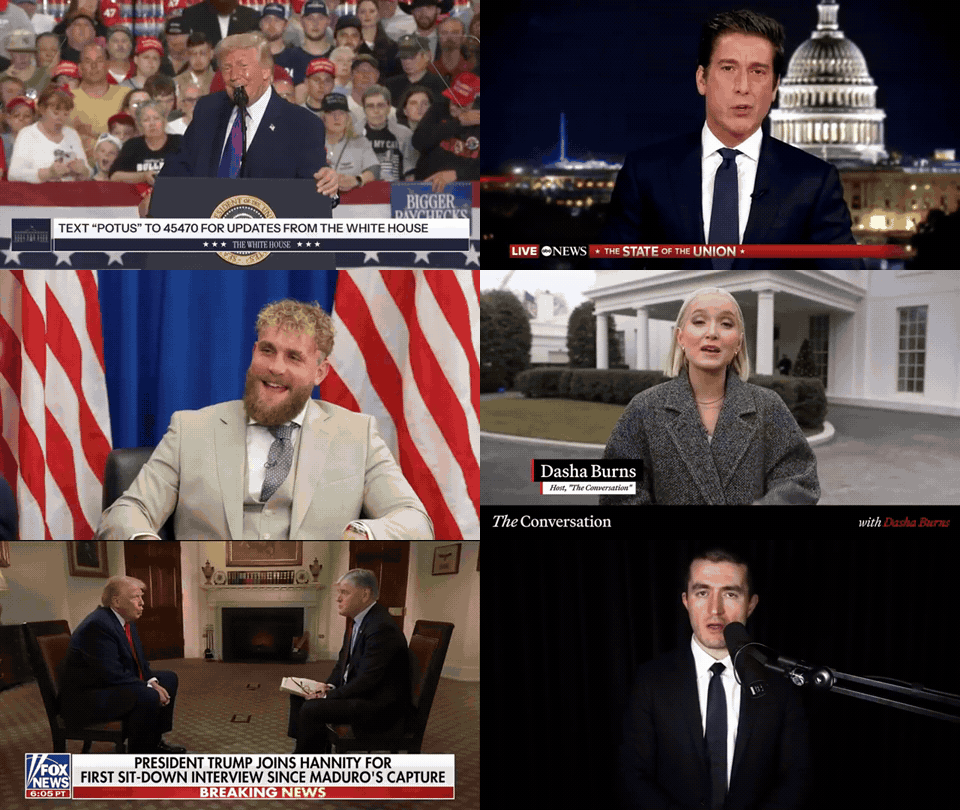
Create compelling supercuts showing how different people say the same word. Perfect for video essays, commentary videos, and compilation content that drives engagement.
Hear how native speakers pronounce a word across different accents, contexts, and speaking styles. Build pronunciation reference clips for language study.
Track how a specific term is used across news coverage, interviews, and public speeches. Compile clips for media analysis or documentary research.
Build rapid-fire word compilations, remix montages, and viral-style supercuts. The perfect tool for creating YouTube word compilation videos and shareable social content.
zvidz searches YouTube for videos matching your query, then analyzes the subtitle and caption data of each video at the word-segment level. When it finds the exact word spoken, it extracts the precise timestamp and lets you preview, select, and download that moment as a clip.
The search and clip selection features are available to all users. Downloading and exporting clips is a Pro feature. You can search and preview unlimited results before deciding to export.
You can export as a single merged MP4 video (720p, 1080p, or 4K) or as a ZIP file containing individual clips plus a CSV metadata file with video sources, timestamps, and YouTube links.
You can select up to 20 clips per session. The tool scans dozens of YouTube videos and returns up to 30 matches, from which you choose the clips you want to include.
No. zvidz runs entirely in your browser. Video encoding uses WebCodecs and client-side FFmpeg WASM processing — nothing is installed on your device.
Yes. In the clip selection phase, you can paste a specific YouTube URL and zvidz will check that video's subtitles for your word. If found, the match is added to your selection.
Yes. zvidz supports phrase search. It scans across subtitle segments to find words that match your query, even when they span multiple caption events.
A YouTube word compilation (or word montage) is a video that shows the same word or phrase being spoken across many different YouTube videos, cut together in rapid succession. zvidz automates this entire process — from finding the word in subtitles to cutting and exporting the final montage.
Ready when you are
Type a word, select your clips, and export a professional montage in minutes. No software to install, no video editing skills required.
Related Tools